

Your behaviour, your body and your mind.In one place.
Your calendar knows your hours. Your health app knows your body. Neither knows you.
Humo is an iPhone app that puts them side by side. Automatic, private, nothing to log.
Why it's hard to see
Who you are shapes how you spend your time.
And how you spend your time shapes what you get back.
Mind
your reflectionsWhy you say yes when you meant to say no.
Your personality, your boundaries, how you relate to people.
Behaviour
your calendarWhere the hours went instead.
Every yes, every late finish, every weekend that filled up.
Body
Apple HealthWhether you got any of it back.
Sleep, movement, rest — the only things in a week that never argue back.
All three together, for the first time
Now you can see the whole thing.
How it works
What your weeks are actually doing to you.
Notice
Your day sorts itself.
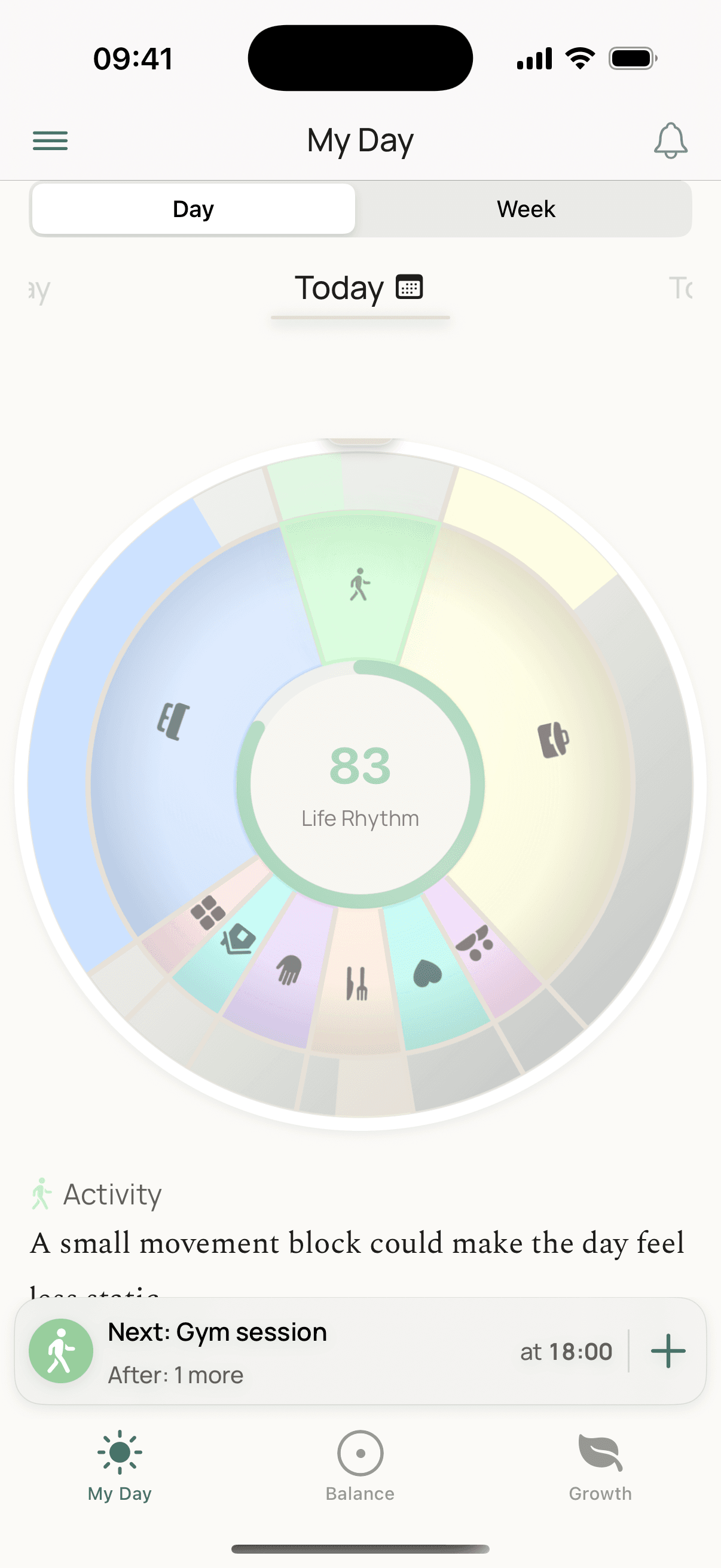
Humo reads the calendar you already keep and files every event into the eight parts of a life. No logging, no streaks. Filed something wrong? One tap corrects it, and it remembers.
What's inside
- Sorted by rules and an on-device model, in English and Dutch. Nothing is sent anywhere to be read.
- Tap any part of the wheel for a sentence about it: “Work ran into late hours four times this week”, or “Active five days in a row”. Nothing to say? It says nothing.
- Set how much of a week you want each part to take, and see planned against done.
- Birthdays are not 24-hour events, holidays read as time away, and shared-calendar noise can be excluded once. Reminders sit in the same day. Cycle tracking is an optional eleventh part, kept in Apple Health.
Understand
See where you stand.
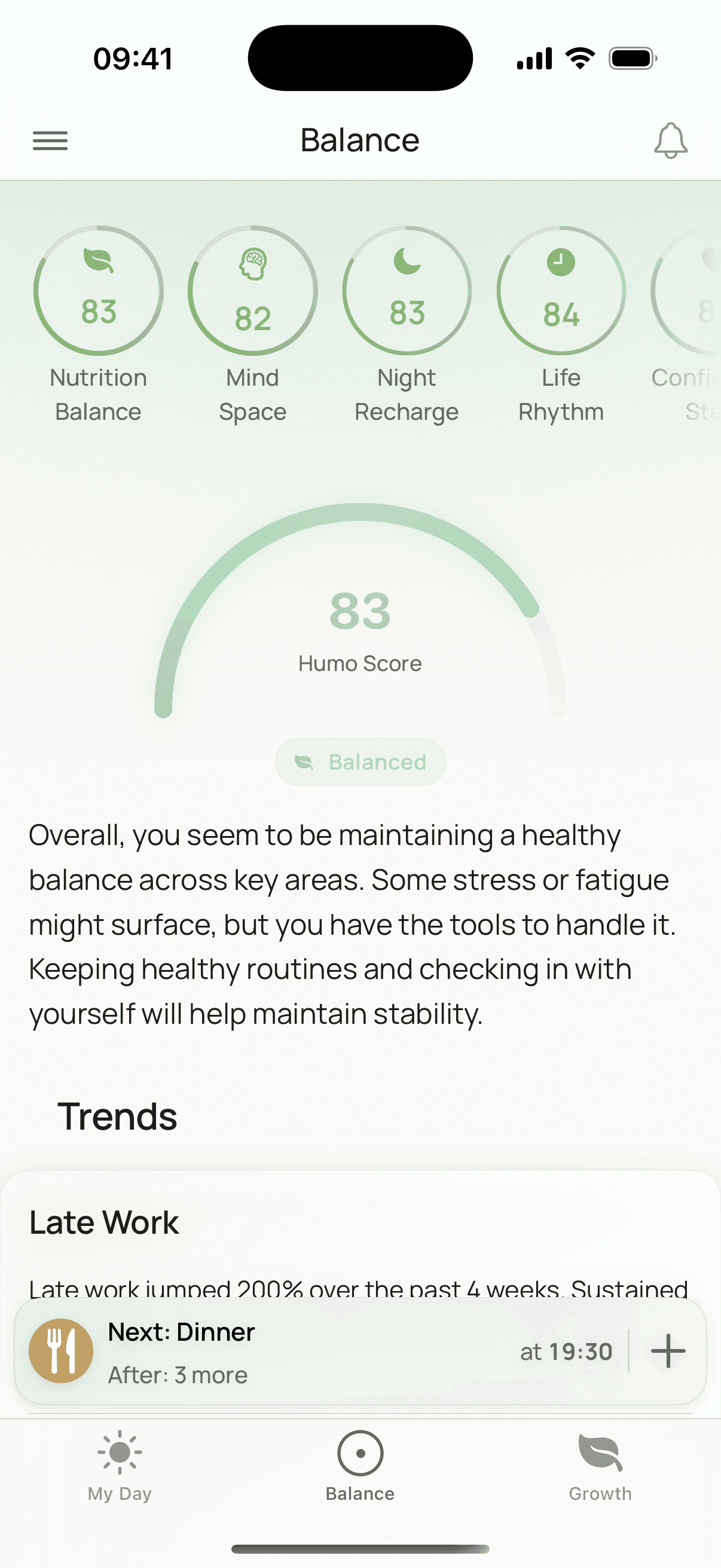
Your calendar, your health data and your check-in become seven indicators and one Humo Score. Not a verdict: a reading of where the week left you, against your own rhythm.
What's inside
- Seven indicators: Life Rhythm, Mind Space, Energy Flow, Night Recharge, Movement Rhythm, Nutrition Balance, Confidence State.
- After a check-in, four of them move a little each day with your calendar and sleep, so the picture stays current without a daily entry.
- Tap the score or any indicator for its day-by-day history. The badge says which way it is heading: “Balanced · easing down”.
- Sleep is read for regularity as well as length; a walk counts as much as a gym session; what your device cannot measure is left out, never scored as zero.
See the pattern
The weeks start explaining themselves.
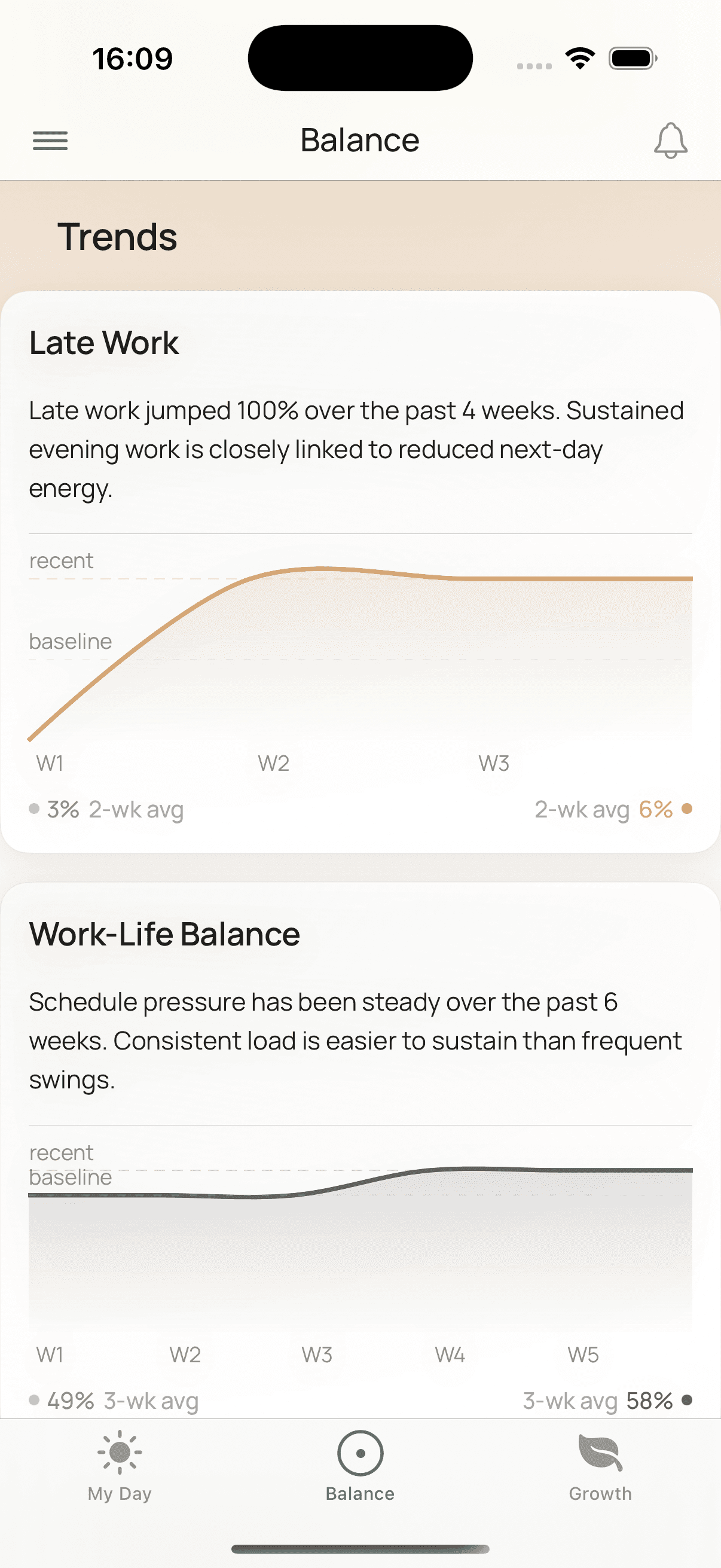
Trends put your weeks side by side: late work creeping up, activity drifting down, recovery holding. Every line is measured against your own baseline.
What's inside
- Six trends, each over its own natural window: late work, work-life balance, weekend boundaries, activity, social connection, recovery.
- Every card compares your recent weeks with your own baseline. There is no ideal week to fall short of.
- Too little data to say something true? The card stays quiet rather than guessing.
- When a trend genuinely changes direction, Humo tells you once, in the same sentence the card shows. Good news too.
Know yourself
The layer underneath the calendar.
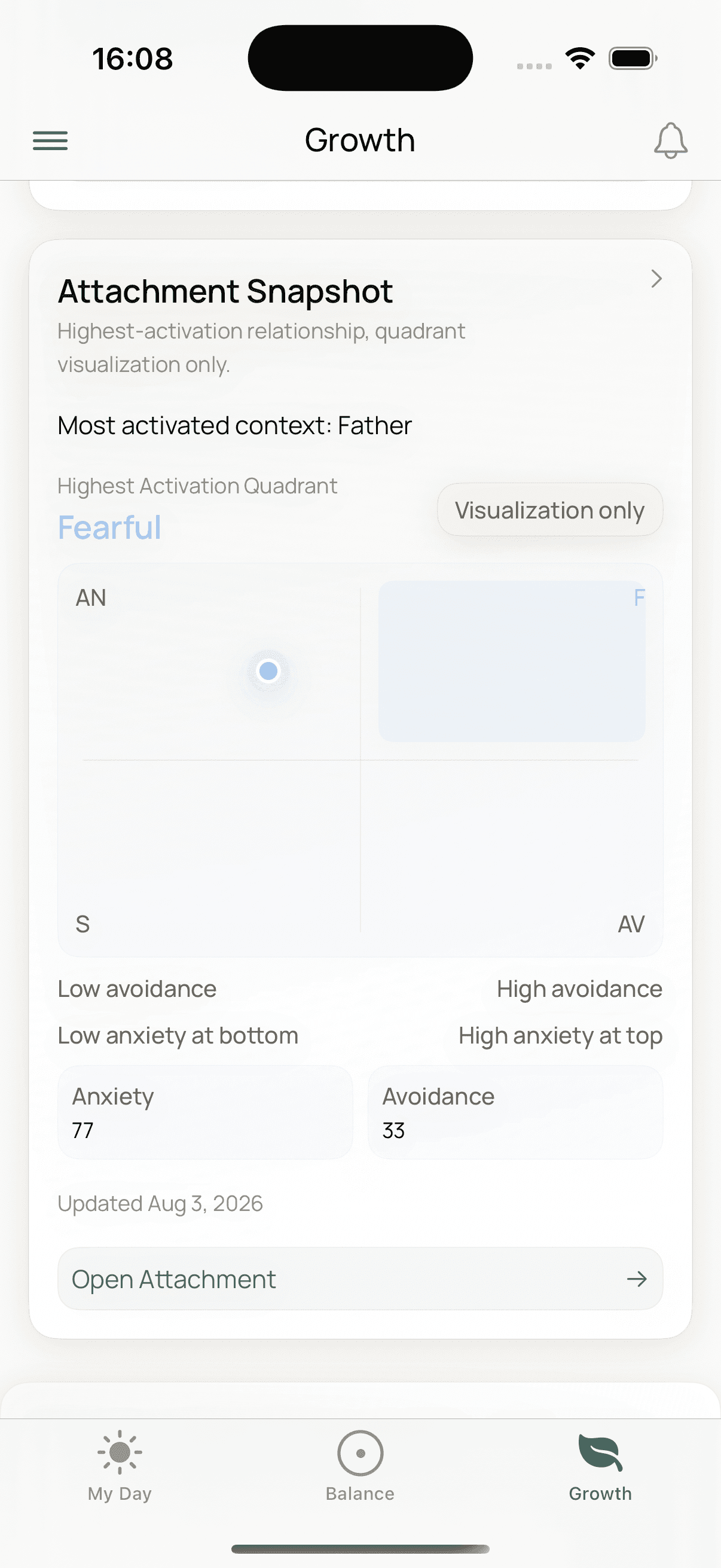
Three short, optional reflections sketch what no sensor can read: your personality, how you relate to people, where strain tends to build. Reflections, not tests.
What's inside
- Balance check-in: 36 questions, about five minutes. Twelve burnout signals on a timeline, adapted from Freudenberger and North.
- Personality reflection: the five big traits, with what each tends to mean in a full week.
- How you relate: a short reflection on closeness and distance, drawn as a map, in plain and kind language.
- Every past take stays reachable, read-only, so you can see what changed over months. All scored on your phone.
Act
Then one small thing you can actually do.
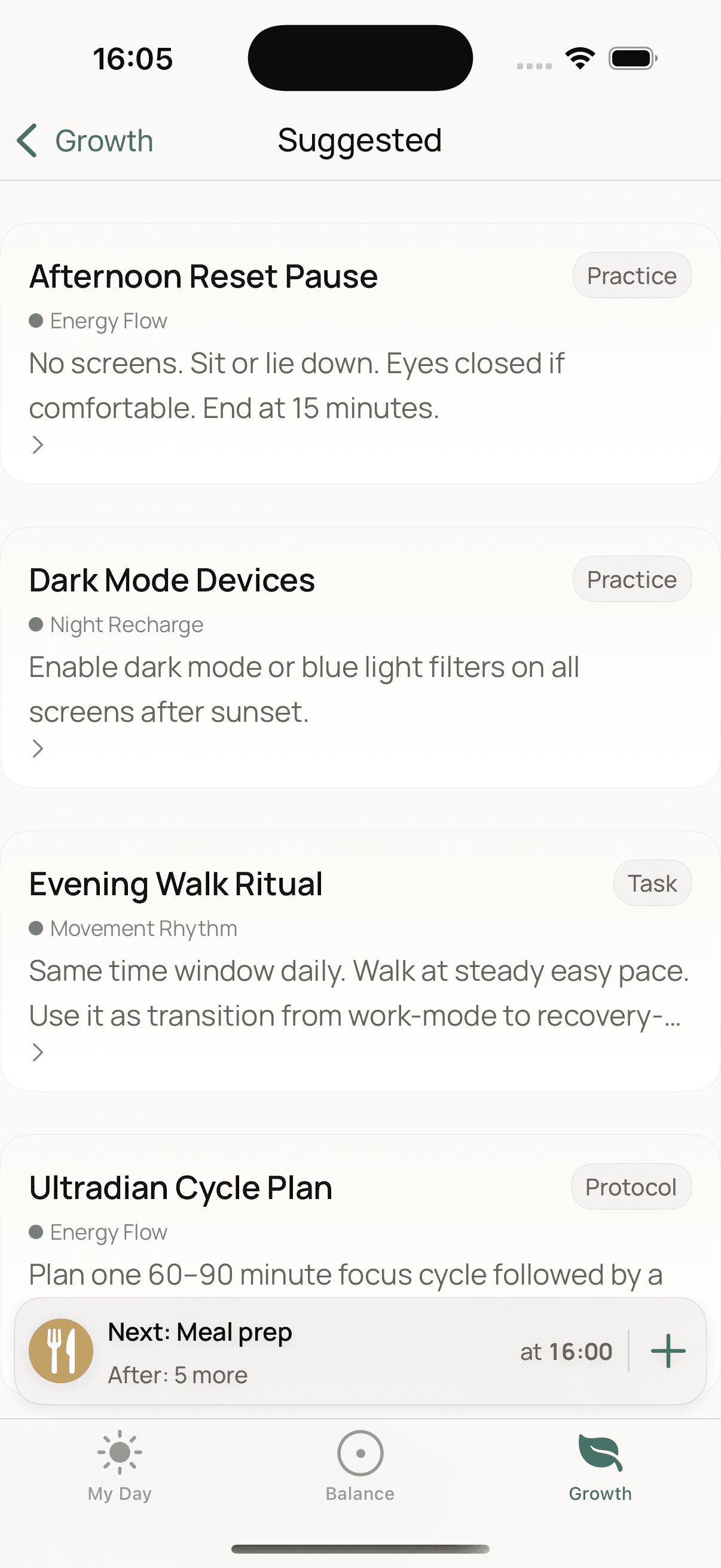
One practice, with the reason it was chosen and a time that fits: “right after your two hours of work”. Skip it and nothing breaks.
What's inside
- One practice with its reason: “Because your Mind Space is showing early warning signs.”
- A time that fits, and why: “Right after your 2h of work.” Clashes are named, not hidden. If the window has passed, it moves to tomorrow.
- About 250 practices with concrete steps and an ending. The library was rebuilt for safety: nothing extreme, and a pointer to professional care wherever strain runs high.
- Browse everything, favourite, repeat as a routine, or write your own.
Begin again
And the week starts over — slightly different.
The practice lands on your calendar, next to everything else, so next week arrives a little changed. Notice, understand, act, recover. Then again.
What's inside
- Scheduled practices sit in My Day next to your events and your reminders.
- A reminder at the time you chose. One calm morning note when there is something concrete to suggest. Nothing on days when there isn’t.
- If a check-in has gone stale, at most one gentle nudge a week. Every notification has its own switch.
- Nothing personal ever appears on the lock screen.
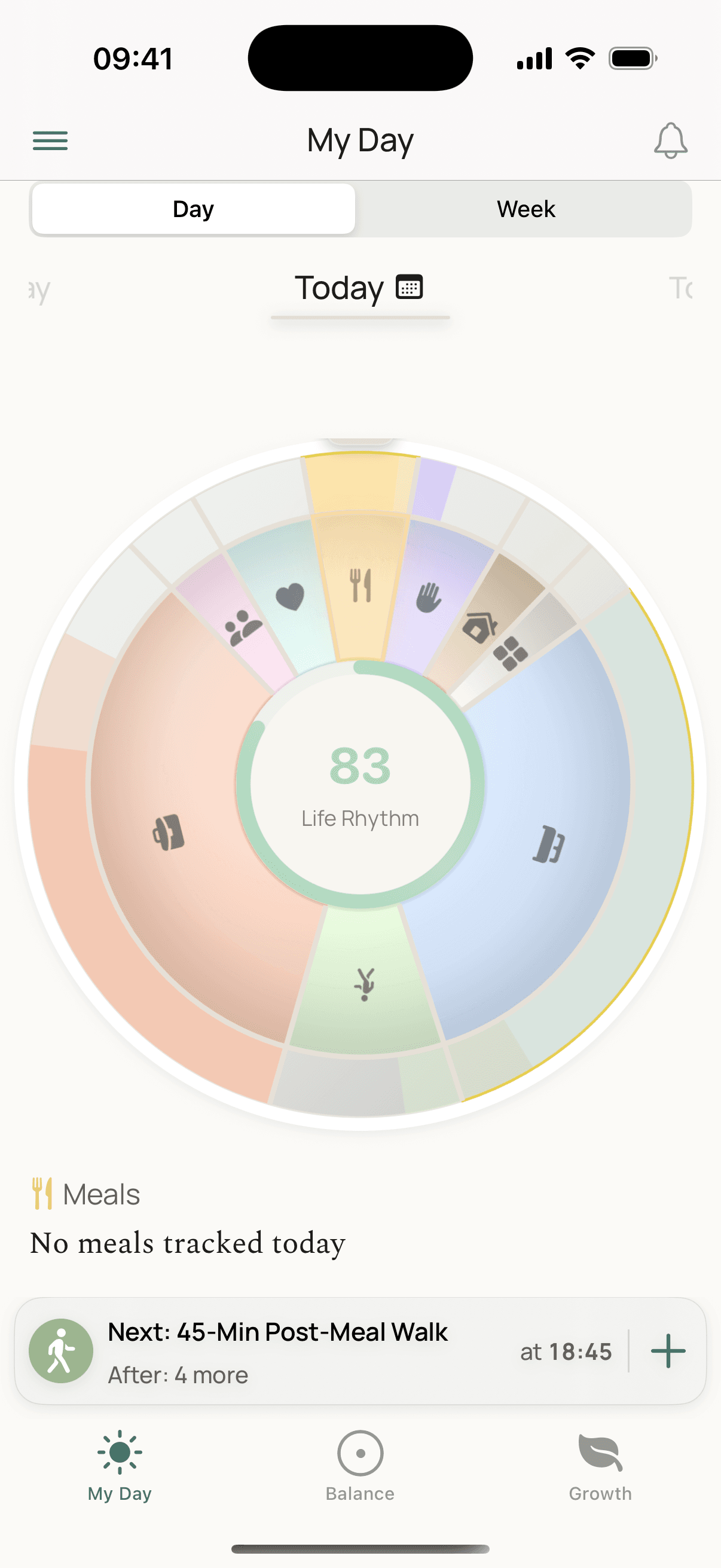
The parts of a life
One life, and the many kinds of time it takes








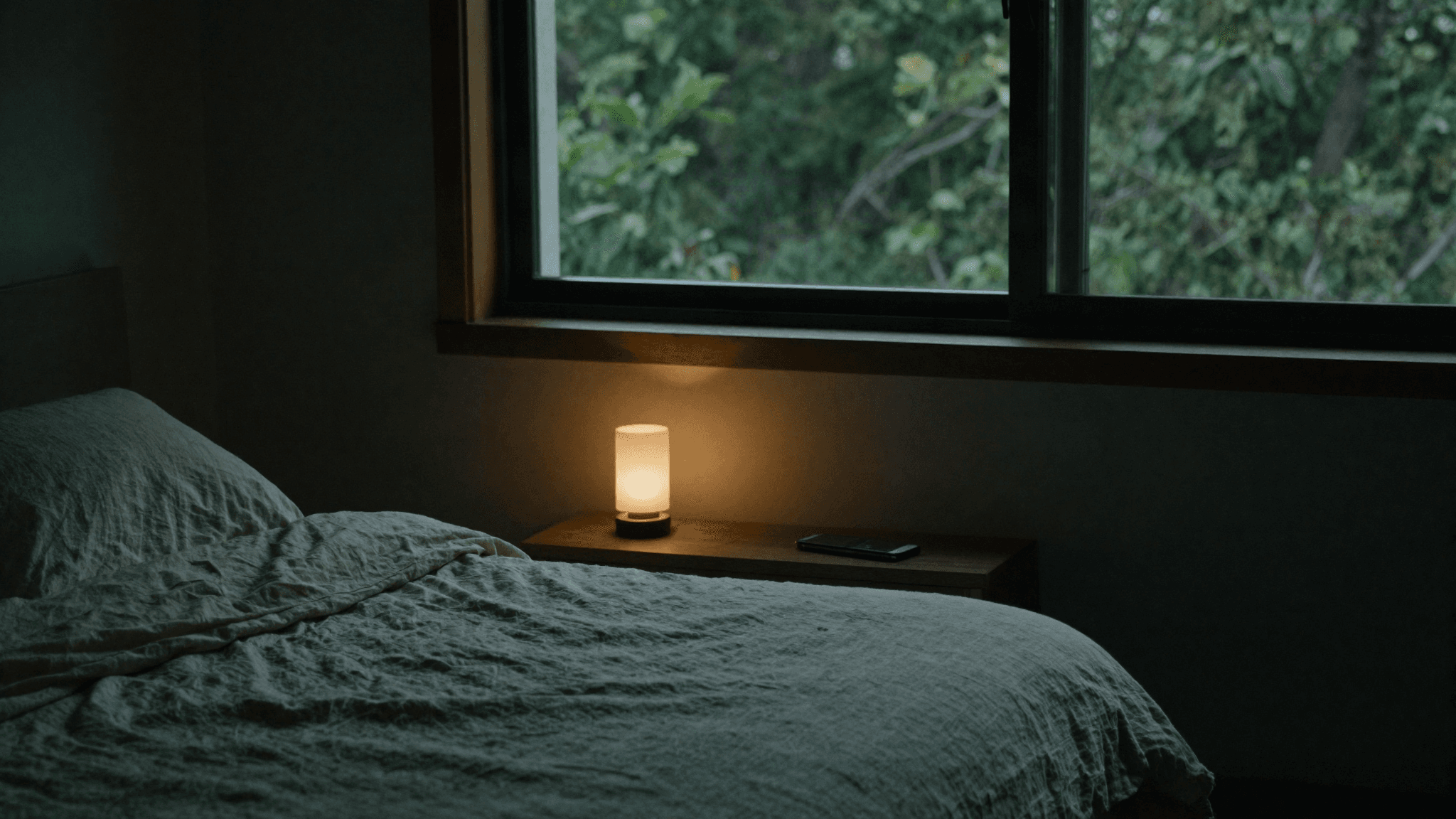
Yours & private
Your calendar, your health data, your reflections — none of it leaves your phone.
Make it yours
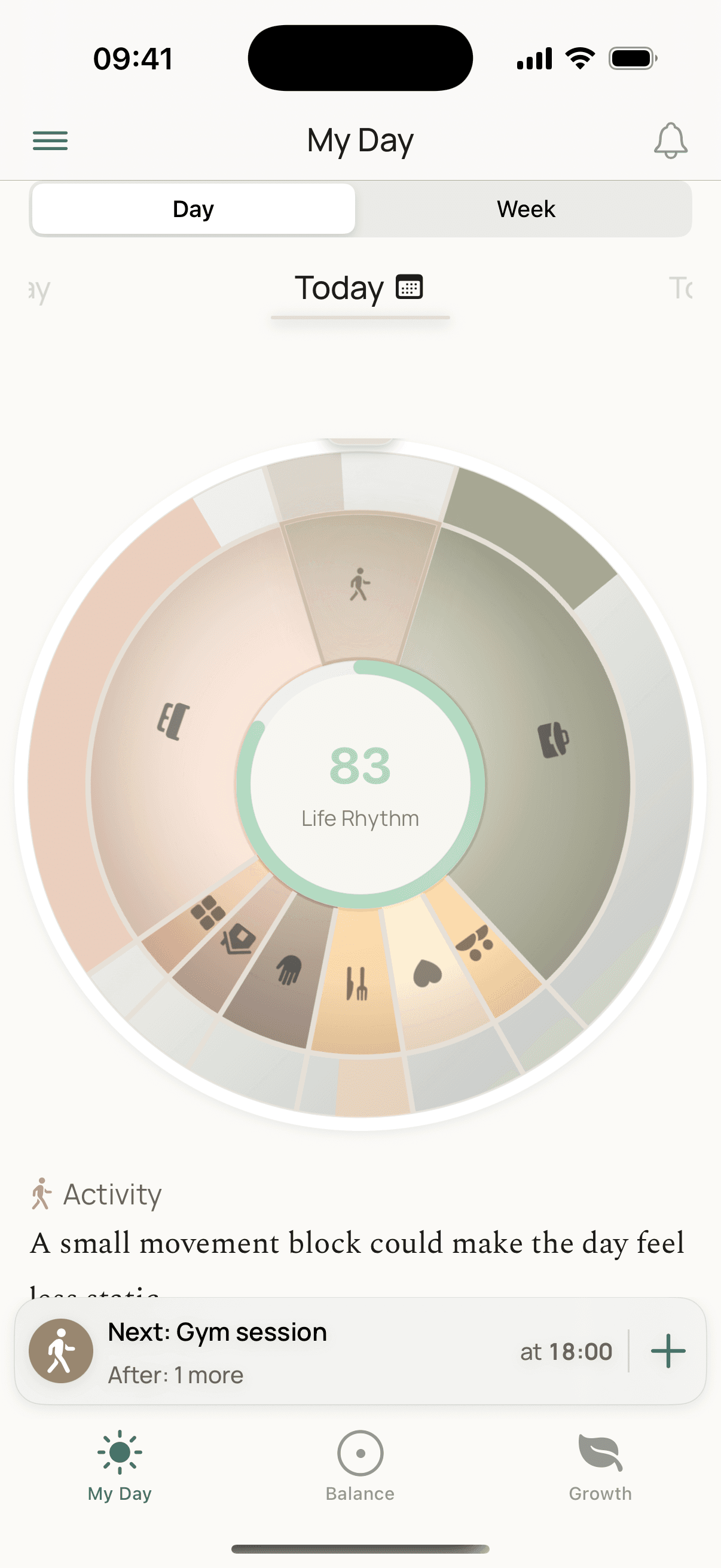
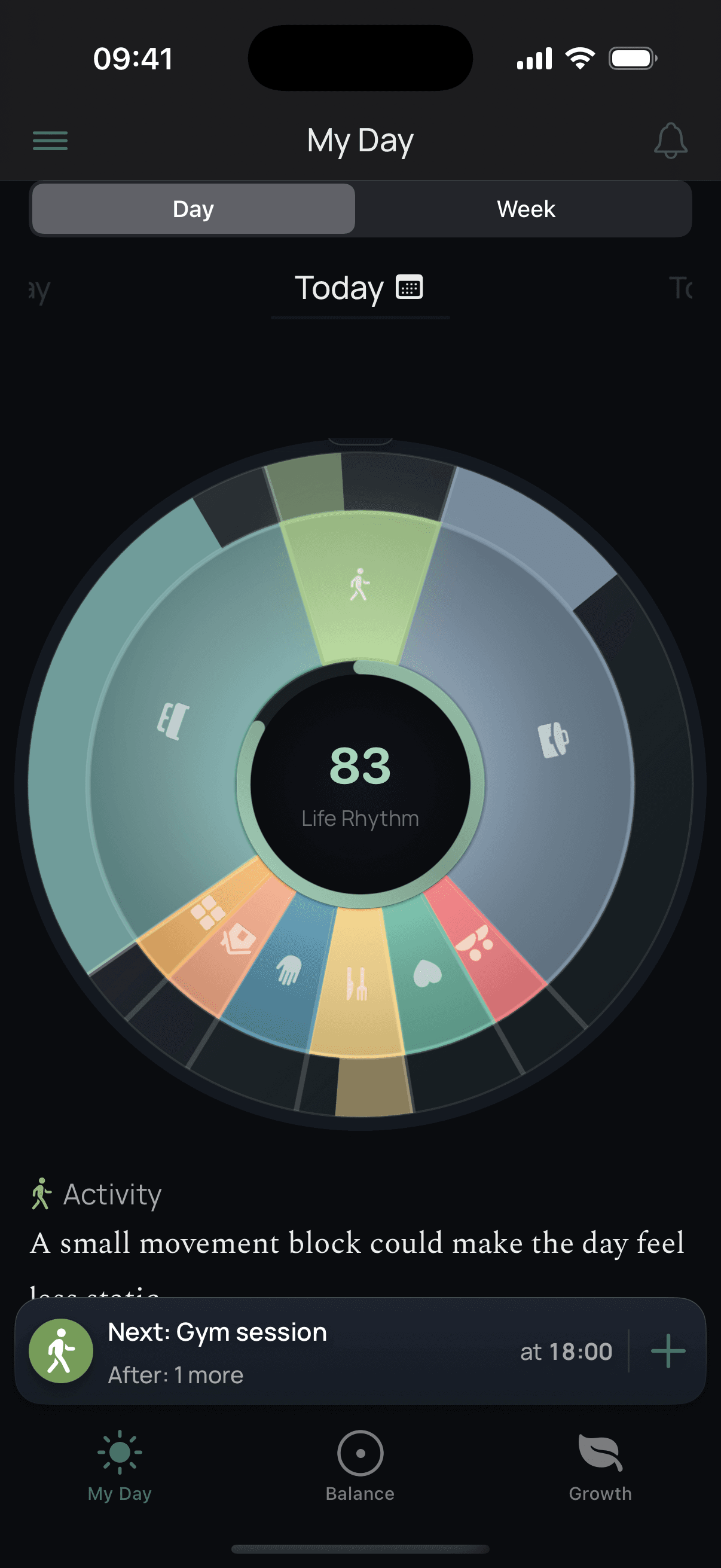
Your balance, in your colours
Warm parchment in daylight, soft charcoal after dark — and a wheel you can dress in any of its 15+ palettes, whichever feels like you.
Questions, answered
Can't I just look at my calendar and my Health app myself?
You can, and most people have tried. The trouble is that neither one knows about the other: your calendar can't tell you that the week with no gaps was also the week you slept worst. Putting nine weeks of everything side by side, sorted into the parts of a life, is the whole job Humo does.
I've downloaded apps like this before and stopped. Why would this be different?
Because there is nothing to keep up. Humo doesn't need a daily entry, a streak, or a mood diary — it reads the calendar and health data you already have. If you ignore it for three weeks, it's still right when you come back.
What do I actually see on day one?
Your own week, before you have an account. One tap on your calendar and Humo sorts your last four weeks into the eight parts of a life and draws them as your wheel. One tap on Apple Health and it charts your last seven nights and days. The five-minute check-in gives you the full picture of where strain sits. Everything is worked out on your phone, so you see it first and decide afterwards whether to keep it. Not ready to connect anything? There is a clearly labelled sample week to look at first.
What if Humo files an event into the wrong part of life?
Tap it and re-file it — Humo remembers the correction for next time. A dinner with a colleague can be work one week and social the next; you stay the judge of your own life.
My calendar is shared with my partner and my team. Won't that confuse it?
Choose which calendars Humo reads when you connect, and change it any time. For anything that slips through, exclude the event with one tap; if there are more like it, Humo offers to exclude the pattern and remembers. Excluded events stay visible in your day, dimmed, and count for nothing. Reminders work the same way, list by list.
Do I need an Apple Watch?
No. Humo reads Apple Health itself, not any particular device — so whatever writes there works: an Apple Watch, an Oura ring, a Garmin, or just your iPhone. It reads sleep, steps, active energy, workouts and mindful minutes. What your device cannot measure is left out of the picture, never counted as zero.
How do all the pieces fit together?
Your calendar is sorted into the eight parts of a life. Week by week, Humo reads that pattern — together with your health data and your check-in, when you take it — into seven wellbeing indicators and one overall Humo Score, each measured against your own baseline. Optional reflections add the context the data alone can't explain.
How long are the reflections, and what do they cover?
The balance check-in is 36 questions and takes about five minutes; it maps where strain tends to build across twelve signals adapted from Freudenberger and North. The personality reflection covers the five big traits. The third is about how you relate to the people close to you. All three are optional, all are scored on your phone, and every past take stays where you can revisit it. They are reflections for self-awareness, not tests and not a diagnosis.
Will it nag me?
No. Humo sends four kinds of notification, each with its own switch, and none until you say yes: a reminder for a practice you scheduled, at the time you chose; one calm morning note when there is something concrete to suggest, and nothing on days when there isn't; a note when one of your trends genuinely changes direction, once, good news included; and at most one gentle nudge a week if a check-in has gone stale. Nothing personal ever appears on the lock screen. There are no streaks to protect.
Does Humo track my cycle?
Only if you turn it on, and it is off until you do. When on, a cycle segment joins your wheel and a card shows where you are, when the next period is expected, and your recent cycle lengths, using what Apple Health already holds. You can log a period from Humo; entries from other apps are shown and never changed. Humo keeps no copy of its own and nothing about your cycle reaches its servers. Turn it off and Humo stops reading immediately.
Is Humo a medical or therapy app?
No. Humo is not a medical device and does not provide medical advice, diagnosis, or treatment. Its insights are for general wellbeing and self-reflection only. If you have concerns about your health or wellbeing, please consult a qualified professional.
What happens to my data?
Your calendar, health data and reflection answers are read and analysed on your device, and they stay there. Not uploaded, not sold, not used to train anything. Nothing is switched on until you choose it.
Can I take my data out, or delete it?
Both, from inside the app. Export gives you everything Humo holds about you in a portable format. Delete Account removes your account and clears the Humo data on your phone; your calendar and your Apple Health records are yours and stay untouched. Turning off a source stops Humo reading it straight away.
When does it launch, and what will it cost?
Humo is in the final stretch before its App Store release. Joining the waitlist is free and takes one field. Pricing is announced at launch — waitlist members hear first, get first access, and keep a founding-member offer.
Why I built Humo
Humo started after a long stretch of burnout — deep exhaustion, a growing distance from everything, and a complete loss of balance. Looking for a way back, I went to the research: how strain builds, how it shows up in a life, and how small daily shifts change the shape of a week.
What I couldn't find was anything that would simply show me what had been happening. Every app wanted me to add something to a life that had no room left — another log, another streak, another five minutes. And the whole time, everything that would have explained those months was already sitting on my phone, split between a calendar that didn't know how I'd slept and a health app that didn't know I'd had nine meetings.
So I built Humo to put those side by side, on your device, and then get out of the way.
— Paul, founder of Humo

Find out what your weeks have been telling you.
Coming to iPhone. Members hear first, get first access, and keep a founding-member offer.
For people whose weeks are full and who don't need another habit.